7 Best AI Marketing Video Generators (2026 Pricing)
The best AI marketing video generator depends on the asset you need next. Avatar studios, generative scene tools, clip engines, transcript editors, and social design platforms charge for different production units. We compared seven leading options by current price, usage limit, output, workflow fit, and the proof a marketing team should demand before buying.
Updated July 12, 2026 · Pricing checked against official vendor pages
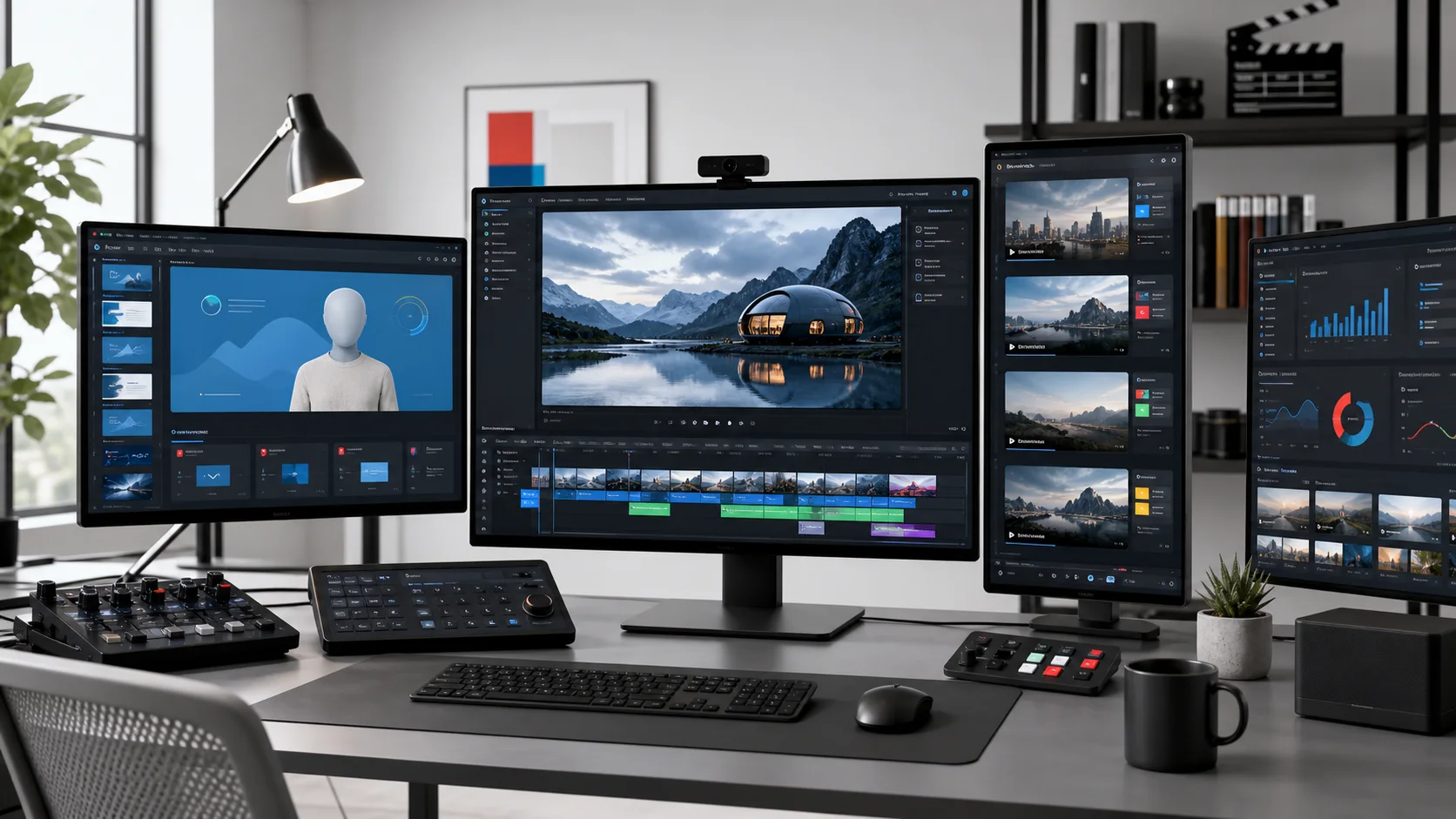
Quick verdict: Synthesia is our first choice for governed avatar explainers, HeyGen for flexible avatar marketing, Runway for generated scenes, OpusClip for long-form repurposing, Descript for transcript editing, VEED for browser production, and Canva for template-led social video.
Start with the three leading production models
Use an avatar studio when a script and presenter lead, a generative tool when the visual scene leads, and a repurposing tool when the source footage already exists.
Compare Synthesia | Compare HeyGen | Compare Runway | See the AI video stack
AI Marketing Video Generator Pricing Compared
A starting price is not enough. Synthesia meters video minutes and shared credits; HeyGen and Runway use credits with model-dependent consumption; Descript meters source media and AI operations separately; and Canva sells a pooled AI allowance inside a broader design plan. Prices below are regular US list prices before tax and temporary promotions.
| Rank and tool | Practical paid entry | Included production unit | Output or notable limit | Best marketing job |
|---|---|---|---|---|
| 1. Synthesia | $29/mo Starter; $89/mo Creator | Starter: 1,200 credits and up to 10 video minutes/mo | Downloads, no Synthesia logo, 125+ avatars on Starter | Controlled avatar explainers, localization, training, and repeatable business video. |
| 2. HeyGen | $29/mo Creator; Pro starts at $49/mo | Creator: 600 credits; Pro: 1,000 credits | 1080p on Creator; 4K on Pro | Avatar campaigns, personalized video, fast prototypes, and creator-led marketing. |
| 3. Runway | $15/mo Standard ($12 annual); $35/mo Pro ($28 annual) | Standard: 625 credits/mo; Pro: 2,250 credits/mo | 4K upscaling; Standard equals about 52 sec of Gen-4.5 | Generative scenes, campaign concepts, motion assets, and stylized B-roll. |
| 4. OpusClip | $15/mo Starter; $29/mo Pro ($14.50 annual) | Starter: 150 credits/mo; Pro: 3,600 credits/year | Auto clips, captions, reframe, editor, and social publishing | Turning webinars, podcasts, interviews, demos, and long-form video into shorts. |
| 5. Descript | $24/mo Hobbyist ($16 annual); $35/mo Creator ($24 annual) | Hobbyist: 10 media hours + 400 AI credits/mo | 1080p Hobbyist; 4K and 30 media hours on Creator | Transcript editing, screen demos, interviews, podcasts, captions, cleanup, and clips. |
| 6. VEED | $24/mo Lite ($9 annual); $55/mo Pro ($24 annual) | AI credits vary by plan and selected generation model | 1080p Lite; more credits and longer projects on Pro | Browser editing, captions, social formatting, AI B-roll, and quick campaign production. |
| 7. Canva | $144/year Pro; $250/year/person Business | Pro: 10x Free AI allowance; Business: 20x Free | Templates, Brand Kits, social scheduling, stock, and AI tools | Small teams producing templated social video inside a broader design system. |
How to Choose the Right Type of AI Video Tool
“AI video generator” describes at least five different product categories. A polished avatar platform can still fail a generative-ad brief, while the best scene generator can be wasteful when a marketer only needs five clips from an existing webinar. Match the system to the asset and require evidence from a realistic trial.
| Marketing job | Shortlist | Evidence to collect |
|---|---|---|
| Avatar-led explainer or localization | Synthesia or HeyGen | Compare avatar fit, pronunciation, edit control, translation review, consent workflow, and monthly credits. |
| Generative scenes or B-roll | Runway | Track usable seconds after retries, visual continuity, upscaling, rights review, and finishing work. |
| Long-form to short-form clips | OpusClip or Descript | Measure accepted clips per source hour, context accuracy, caption repair, and publishing handoff. |
| Screen demo or customer interview | Descript or VEED | Test transcript correction, audio repair, captions, aspect ratios, brand assets, and final export. |
| Template-led social production | Canva or VEED | Verify repeatability across channels, brand lockup, reviewer access, scheduling, and per-seat cost. |
Our Ranking of the Best AI Video Generators for Marketing
We kept the ranking stable and updated the facts around each choice. The order reflects broad marketing usefulness, workflow control, and fit for the stated job; it is not a claim that every tool was built for the same type of video.
1. Synthesia
Synthesia is the best fit in this ranking for a governed presenter-video operation. Starter adds downloads, logo removal, an AI video assistant, dubbing, one editor, and three guests to the free workflow. Creator raises the allowance to 3,600 credits and up to 30 video minutes per month, adds API access, interactive video, and more avatar capacity.
- Regular price: $29/mo Starter; $89/mo Creator
- Usage model: Starter: 1,200 credits and up to 10 video minutes/mo
- Best for: Controlled avatar explainers, localization, training, and repeatable business video.
- Watchout: The $0 Basic plan and $29 Starter plan both list up to 10 video minutes per month. The paid value is workflow control and usable exports, not more base minutes. Avatar-led video is also a poor substitute for cinematic product footage.
- Proof test: Produce one 90-second product explainer, correct three script lines, verify product-name pronunciation, and translate one version before comparing review time and credits used.
2. HeyGen
HeyGen is the strongest alternative when avatar realism, personalization, and fast campaign iteration matter more than a training-oriented workflow. Creator supports videos up to 30 minutes, 1080p export, voice cloning, 175+ languages and dialects, and credit rollover. Pro adds 4K and higher starting usage.
- Regular price: $29/mo Creator; Pro starts at $49/mo
- Usage model: Creator: 600 credits; Pro: 1,000 credits
- Best for: Avatar campaigns, personalized video, fast prototypes, and creator-led marketing.
- Watchout: HeyGen is now credit-based. The current Creator plan includes 600 credits rather than unlimited paid creation, and different avatar engines consume credits at different rates. Test the exact avatar, translation, and output workflow you expect to use.
- Proof test: Create the same 90-second script with a stock avatar and a custom digital twin, then score lip sync, pronunciation, correction effort, translation control, and credits consumed.
3. Runway
Runway leads this list for generative visual production rather than presenter-led video. Standard includes all image and video models, 625 monthly credits, watermark-free output, and 4K upscaling. Pro increases the allowance to 2,250 credits, while Max provides 9,500 credits and one month of rollover for heavier production.
- Regular price: $15/mo Standard ($12 annual); $35/mo Pro ($28 annual)
- Usage model: Standard: 625 credits/mo; Pro: 2,250 credits/mo
- Best for: Generative scenes, campaign concepts, motion assets, and stylized B-roll.
- Watchout: Credits buy generation attempts, not finished campaign minutes. Runway says Standard is roughly 52 seconds of Gen-4.5 or 104 seconds of Gen-4 Turbo before retries. Continuity, prompt iteration, rights review, sound, editing, and rejected generations all add to the real cost.
- Proof test: Storyboard six five-second shots with one repeated product and visual motif. Record successful takes, rejected takes, continuity failures, credits used, and time to a usable rough cut.
4. OpusClip
OpusClip is the most focused repurposing product in the ranking. Starter removes the watermark and includes 150 monthly credits, an editor, one brand template, animated captions, and direct posting. Pro adds two seats, more brand templates, multiple aspect ratios, scheduling, B-roll, speech enhancement, and editing-system exports.
- Regular price: $15/mo Starter; $29/mo Pro ($14.50 annual)
- Usage model: Starter: 150 credits/mo; Pro: 3,600 credits/year
- Best for: Turning webinars, podcasts, interviews, demos, and long-form video into shorts.
- Watchout: A high virality score is not campaign proof. Automated clips can remove context, overstate a claim, or choose a hook that attracts views without qualified traffic. Free exports also expire after three days and retain a watermark.
- Proof test: Process one 30-minute webinar and require five clips with distinct hooks. Reject any clip that loses claim context, mislabels a speaker, or needs more manual repair than a conventional edit.
5. Descript
Descript is the best transcript-first editor here. Hobbyist includes 10 media hours, 400 AI credits, 1080p watermark-free export, Studio Sound, filler-word removal, clip creation, and its Underlord co-editor. Creator expands to 30 media hours, 800 AI credits, 4K export, generative video models, and a stock library.
- Regular price: $24/mo Hobbyist ($16 annual); $35/mo Creator ($24 annual)
- Usage model: Hobbyist: 10 media hours + 400 AI credits/mo
- Best for: Transcript editing, screen demos, interviews, podcasts, captions, cleanup, and clips.
- Watchout: Descript meters imported or recorded media hours separately from AI credits. A plan that covers the raw footage can still run short on AI operations, and it remains an editing system rather than the cleanest script-to-avatar studio.
- Proof test: Edit an eight-minute screen demo by transcript, remove one mistake, regenerate one spoken line, create two clips, and export captions. Track media hours and AI credits separately.
6. VEED
VEED works well as a browser production surface for teams that mix ordinary editing with AI assistance. Its own pricing guide lists Lite with watermark-free 1080p export and monthly AI generation credits; Pro increases credits and project limits. The product also supports captions, translation, B-roll, avatars, voice, and multiple generation models.
- Regular price: $24/mo Lite ($9 annual); $55/mo Pro ($24 annual)
- Usage model: AI credits vary by plan and selected generation model
- Best for: Browser editing, captions, social formatting, AI B-roll, and quick campaign production.
- Watchout: VEED prices by billing cadence and AI generation by model-specific credits. Confirm the logged-in pricing table for your region and expected model before budgeting, especially when collaborators will create separate per-seat charges.
- Proof test: Build 9:16, 1:1, and 16:9 versions of the same 30-second social asset. Check caption timing, safe zones, brand consistency, export quality, and AI credits used.
7. Canva
Canva is the broadest design platform in the ranking. Pro is a one-person plan with premium templates, stock, five Brand Kits, scheduling, 100GB storage, and ten times the Free AI allowance. Business adds team administration, approvals, 100 Brand Kits, 500GB per person, and twenty times the Free AI allowance.
- Regular price: $144/year Pro; $250/year/person Business
- Usage model: Pro: 10x Free AI allowance; Business: 20x Free
- Best for: Small teams producing templated social video inside a broader design system.
- Watchout: Canva is easy to standardize but also easy to make generic. Its AI allowance is pooled across tool tiers, so the number of actual generations varies by model and complexity. Business is priced per person, which changes the economics for a larger content team.
- Proof test: Create three owned templates for a product proof, customer quote, and feature launch. Give a second marketer the source assets and verify that every variant stays inside the brand rules.
A Five-Step Marketing Video Proof Test
Run the test before an annual contract. A vendor demo shows the best possible path; a controlled trial shows whether the tool survives your source material, brand constraints, review process, and distribution stack.
| Step | Test | Pass condition |
|---|---|---|
| 1. Define one asset | Use the same script, source footage, aspect ratio, brand kit, CTA, and deadline in every trial. | The output matches the real campaign job without changing the brief to suit the tool. |
| 2. Measure the meter | Record avatar minutes, generation credits, imported media hours, seats, storage, and paid add-ons separately. | Finance can reproduce the monthly cost from the vendor plan and the observed workload. |
| 3. Count repair work | Log retries, caption fixes, pronunciation edits, continuity errors, re-exports, and reviewer time. | The saved production time is larger than the new QA and correction burden. |
| 4. Validate distribution | Export the actual channel formats and inspect captions, safe zones, compression, CTA, and landing-page handoff. | Every channel version is publishable without rebuilding the asset elsewhere. |
| 5. Run a rights review | Document avatar and voice consent, source-asset licenses, generated-media terms, claims, disclosures, and approvals. | The team can show who approved the asset and what rights support every material element. |
What About AI Product Video Generators?
Product-listing videos, UGC-style ads, catalog feeds, and SKU-scale production are narrower jobs than this broad marketing guide. If the product itself must remain visually accurate or you need many listing videos, use our dedicated comparison of the best AI product video generators rather than treating avatar, editing, and generative-scene tools as interchangeable.
Brand, Consent, and Rights Controls
- Obtain explicit permission before creating a digital twin, cloned voice, or synthetic likeness.
- Keep product claims, customer quotes, prices, endorsements, and disclosures in the approval checklist.
- Verify licenses for uploaded footage, music, stock, fonts, voices, and generated assets.
- Store the approved script, source files, export, reviewer, vendor plan, and terms snapshot with the campaign.
- Use a human reviewer for captions, translation, pronunciation, continuity, and channel-safe formatting.
Frequently Asked Questions
What is the best AI video maker for marketing workflows?
There is no single winner across every workflow. Synthesia and HeyGen are the strongest avatar-video choices, Runway is the generative-scene choice, OpusClip is the focused repurposing choice, Descript is the transcript editor, and VEED or Canva fit template-led social production.
How much does an AI marketing video generator cost?
Paid entry plans in this comparison run from roughly $15 to $35 per month before annual discounts, team seats, extra credits, and enterprise controls. Compare the included production unit, not only the headline price: video minutes, generation credits, imported media hours, and AI allowances are not equivalent.
Which AI video generators export 4K?
HeyGen lists 4K on Pro and Business, Descript lists 4K on Creator, and Runway includes 4K upscaling on paid plans. A 4K export does not guarantee a sharp source generation, so inspect motion, faces, text, compression, and upscaling on your own footage.
Which tool is best for AI product videos?
This page covers broad marketing workflows. Product-listing videos, UGC-style ads, and catalog-scale production have different inputs and economics; use the dedicated AI product video generator guide for that comparison.
Can AI video generators replace a video agency?
They can reduce production work for repeatable explainers, cutdowns, demos, and social variants. They do not replace campaign strategy, original customer evidence, creative direction, rights review, performance analysis, or high-end production where physical product detail and human performance matter.
Are AI-generated marketing videos safe to publish?
Only after review. Confirm consent for avatars and cloned voices, licenses for source assets, the vendor terms for generated media, factual claims, required endorsements or disclosures, and platform advertising rules. A tool export is not legal or brand approval.
How should a marketing team test an AI video platform?
Run one representative campaign asset through two shortlisted tools. Keep the brief fixed, then measure accepted output, total credits or minutes, repair time, reviewer effort, channel-ready exports, and rights documentation. Buy the workflow with the lower total production cost, not the most impressive demo.
Methodology and Primary Sources
We checked vendor-owned pricing and product pages on July 12, 2026. We compared the regular paid entry, usage unit, output limits, workflow fit, collaboration or brand controls, and a job-specific proof test. We did not convert unlike units into a false universal price per finished minute, and we do not present this source-based update as hands-on testing.
- Synthesia official pricing and plan details
- HeyGen official pricing and plan details
- Runway official pricing and plan details
- OpusClip official pricing and plan details
- Descript official pricing and plan details
- VEED official pricing and plan details
- Canva official pricing and plan details
Related Guides
- AI Video Stack: Models, Workflows, and Tool Categories
- Synthesia vs HeyGen for AI Video
- Best AI Video Editors 2026
- Best AI Product Video Generators 2026
- Best AI Tools for Social Media Marketing
Affiliate disclosure: We may earn commissions when you click partner links, at no extra cost to you. Our reviews stay editorially independent.